
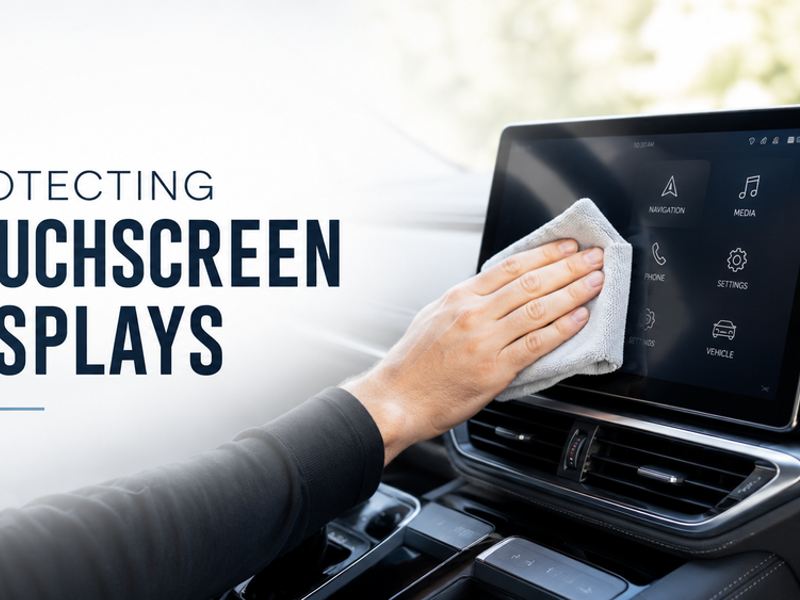
Author: Tipsy Batta
Estimated Read Time: 4 minutes
Why Car Touchscreens Need Special Detailing Care
Modern car touchscreens look premium when they are pristine, but they quickly become magnets for oily fingerprints, dust, greasy smudges, glare, and fine surface scratches. Infotainment screens are not just standard sheets of heavy glass. Most modern vehicle displays feature ultra-thin, delicate anti-glare coatings, fingerprint-resistant chemical layers, soft plastic surrounds, and highly sensitive electronic components directly beneath the panel.
The frustrating part is that one wrong wipe can ruin the display permanently. Using harsh commercial chemicals—such as ammonia-based household glass cleaners, heavy alcohol sprays, multi-purpose degreasers, or silicone-heavy interior dressings—can chemically strip away protective factory coatings. This leaves behind permanent streaks, dull spots, or cloudy patches right in your line of sight.
At Gleamoo, we treat your digital infotainment system as a core focus of a proper interior detailing process, never as a rushed afterthought. A perfectly clear screen improves driver visibility, reduces eye strain from glare, and maintains the high-end look of your dashboard. For a broader, comprehensive cabin-care strategy, you can also read our Ultimate Interior Detailing Guide alongside our expert recommendations on how often to detail your car interior properly.
The Biggest Mistakes That Damage Vehicle Displays
The single most common mistake drivers make is wiping a dusty touchscreen while it is completely dry. Fine airborne dust particles are highly abrasive and act like microscopic sandpaper when dragged across plastic or glass under physical pressure.
Other common mistakes include:
-
Spraying liquid cleaners directly onto the display screen, allowing fluid to run down into the sensitive buttons, seam lines, lower air vents, and delicate electrical boards.
-
Using abrasive household materials like wood-pulp paper towels, old cotton T-shirts, coarse workshop rags, or chemical baby wipes. These materials leave behind annoying lint, chemical residues, or permanent micro-marring swirl marks.
If you want to understand why choosing the right textile is so critical for these sensitive zones, our specialized article on why microfiber towels matter applies directly to delicate interior electronic screens and gloss black cabin trims.
Local Detailer Insights: Managing Sydney Heat and Smudges
When detailing vehicles around Sydney, especially during the scorching summer months, we regularly encounter infotainment screens completely caked in a baked-on layer of zinc sunscreen, natural body oils, fine dust, and makeup.
Vehicles parked outdoors under the blistering sun in Western Sydney experience extreme internal cabin temperatures. This intense heat causes oil smudges to bake firmly into the screen coating, making them significantly harder to dissolve safely. It also causes low-quality or alcohol-heavy cleaning liquids to evaporate almost instantly on contact, leaving behind permanent chemical streaking. This is why you must always clean your screens when the vehicle is cool, parked in complete shade, and using a minimal amount of specialized product.
DIY Guide: How to Safely Clean and Protect Your Touchscreen
To clean your screen without scratching the protective factory coatings or short-circuiting the electronics, follow this professional step-by-step method.
Essential Tools and Materials
-
Plush, clean, edgeless microfiber towel (specifically dedicated to screens)
-
A second clean, completely dry microfiber towel for the final buffing pass
-
Dedicated screen-safe automotive interior cleaner or pure distilled water
-
Small, soft-bristled detailing brush for cleaning surrounding air vents and seams
-
Optional: high-quality anti-static electronic equipment wipes
-
Optional: a tempered glass or matte film screen protector designed for your vehicle model
Estimated Time Required
Expect to spend roughly 5 to 10 minutes for a standard maintenance clean, or up to 15 minutes if the display panel, digital cluster, and surrounding piano-black trims are heavily soiled.
Step-by-Step Cleaning Process
-
Turn the Screen Off Completely: A completely dark, powered-down screen makes fine dust particles, oily fingerprints, and faint streaks immediately visible. It also prevents you from accidentally triggering digital buttons or scrambling your navigation settings while wiping.
-
Let the Display Cool Down: Never clean a screen that is hot to the touch from sitting in the sun. Wait for the cabin to cool down so your cleaning fluid doesn't flash-dry and leave heavy streaks.
-
Gently Dust the Surface First: Before introducing any moisture, lightly pass a clean microfiber towel or an ultra-soft detailing brush around the screen housing and edges. Do not apply heavy downward pressure, as you want to lift loose grit away rather than grinding it into the screen.
-
Apply Cleaner to the Towel, Never the Screen: Lightly mist your screen-safe interior cleaner or pure distilled water directly onto your microfiber towel. The cloth should feel barely damp, not dripping wet.
-
Wipe Exclusively in Straight Lines: Wipe the glass using gentle, overlapping horizontal or vertical passes. Avoid cleaning in aggressive circular scrubbing motions, which can create distinct, swirl-like micro-scratches that become highly visible under direct sunlight.
-
Buff Dry With Your Second Towel: Immediately follow up with your second clean, completely dry microfiber towel to gently lift away any remaining moisture, fully eliminating streaks before they dry.
-
Clean Surrounding Trims Carefully: The high-gloss piano-black plastics often used to frame modern car screens scratch incredibly easily. Treat these surrounding trims with the exact same level of gentle care as the screen itself.
-
Install a Dedicated Screen Protector: For vehicles equipped with massive, central touchscreen displays, installing a quality aftermarket tempered glass or matte anti-glare screen protector is a fantastic preventative measure against physical fingernail scratches and everyday smudges.
Pro-Tip: Use Significantly Less Product Than You Think
The cleanest, most streak-free results always come from using less liquid, not more. Flooding the towel creates excessive streaking and risks pushing moisture into the sensitive electronic edges of the screen bezel. For stubborn, oily fingerprints, perform two light, patient passes rather than scrubbing hard. First, loosen the oils with a barely damp cloth, then immediately buff it clear with your dry towel.
To achieve a truly cohesive cabin refresh, take a moment to clean neighboring touchpoints like your steering wheel controls, gear selectors, climate dials, and door handles. Our comprehensive guide on removing germs and bacteria from vehicle interiors explains exactly why managing these high-contact zones keeps your car hygienic and safe.
How to Prevent Scratches and Fingerprints Long-Term
To protect your screen over the long haul, store a dedicated, clean microfiber towel inside your glove box specifically for this purpose. Never use the same cloth you use to wipe down exterior paint, brake-dusty wheels, or crumb-filled floor mats.
Additionally, never apply interior shine-enhancing protectants or glossy dressings to an electronic screen. Finally, if you have just applied heavy sunscreen or thick hand creams, allow them to fully absorb into your skin or wipe your palms clean before interacting with your vehicle's digital displays.
Remember, a spotless screen looks best when the surrounding dashboard surfaces are kept in top condition as well. You can learn how to preserve your dashboard materials in our guide on protecting plastic and vinyl car surfaces.
Professional Mobile Interior Detailing Options
While DIY maintenance is perfect for routine weekly care, professional detailing is the safest path forward if your screen is heavily obscured by sticky residues, framed by deeply dusty vents, or part of a cabin that requires a total structural refresh.
For dirty touchscreen displays, complex dashboard buttons, dusty vents, and heavily soiled seating, our specialized Deep Detailing package provides the ultimate solution. This mobile service is perfectly customized for drivers who want a completely clean, fresh, and sanitary interior without risking expensive damage from incorrect DIY chemical products.
Gleamoo takes the stress out of vehicle maintenance by bringing professional mobile car detailing expertise directly to your home or office. If you would like to read more about our strict quality standards and dedication to premium vehicle care, feel free to visit the Gleamoo About Us page.
Frequently Asked Questions
Can I use household glass cleaner on my car touchscreen?
No, it is highly recommended to avoid standard household glass cleaners, especially those containing ammonia, alcohol, or aggressive chemical solvents. Most automotive touchscreens are manufactured with highly specialized anti-glare coatings that can be permanently degraded, dulled, or stripped away by household chemical formulas.
How often should I clean my car's touchscreen display?
For most daily drivers, a quick, light dust and wipe-down once a week is perfectly sufficient to keep fingerprint oils and dust under control. However, if you regularly drive with children, frequently use heavy sunscreens, or commute through high-dust regional areas, you may want to clean it more regularly.
Can scratches be safely removed from an infotainment screen?
While a deep clean can remove the built-up grease that often exaggerates the appearance of a mark, actual physical scratches cannot be safely polished out of an infotainment display. Attempting to buff or polish a touchscreen will wear through its delicate anti-glare coatings, creating large, uneven cloudy patches. Because of this, careful prevention is much safer and more affordable than attempting a post-scratch restoration.
About the Author
Tipsy Batta is a passionate car care specialist dedicated to helping Australian car owners maintain cleaner, fresher, and better-protected vehicles. Through Gleamoo, Tipsy focuses on sharing practical car care advice, upholding elite professional mobile detailing standards, and delivering convenient on-site services that take the hard work out of routine vehicle maintenance for everyday owners.